The fast, native home for
Claude Code and Codex.
Moonline runs your agents on your own computers, on the subscriptions you already have, in an app built to be quick, light on battery and rock steady. Native on Mac, Windows and iPhone, with automations, remote terminals, a browser and consultation rooms built in.
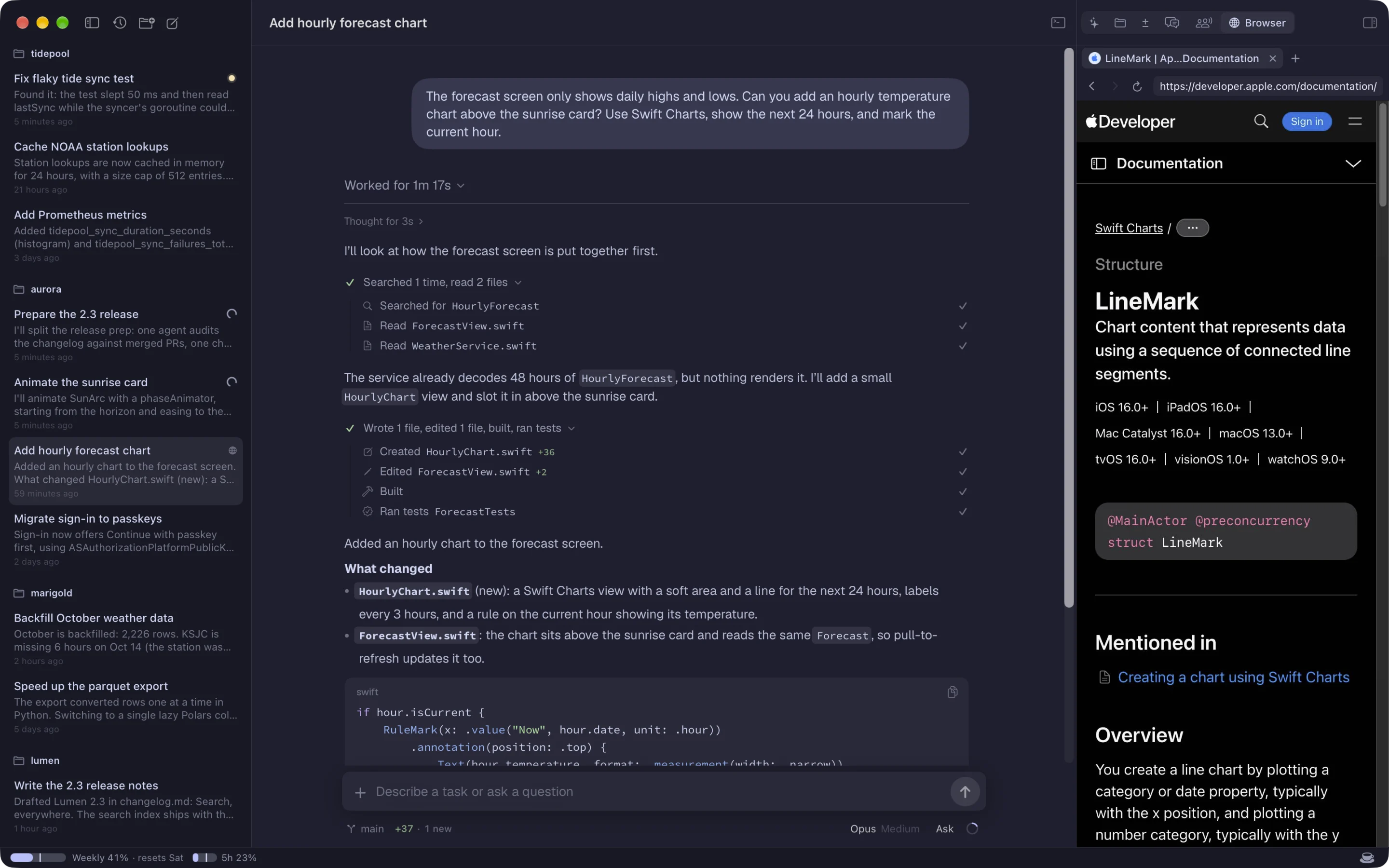
Fast, light and steady. That's the whole point.
Running agents all day should feel effortless. Long sessions stay smooth, a stack of busy chats won't drain your battery, and the app keeps working the way you left it, on every device, every time.
Fast
Opens in a blink and stays quick. The longest transcripts scroll smoothly, and replies stream as fast as the model writes them.
Light
No browser engine idling in the background. Native code that stays easy on memory and battery, even with many chats running.
Steady
No stuck spinners, nothing lost or out of order. Sessions live on your machine, and every device picks up exactly where it left off.
Native everywhere
SwiftUI on Mac and iPhone, WinUI on Windows. Each app is built for its platform. No Electron, no web view.
Every chat on every computer, in one sidebar.
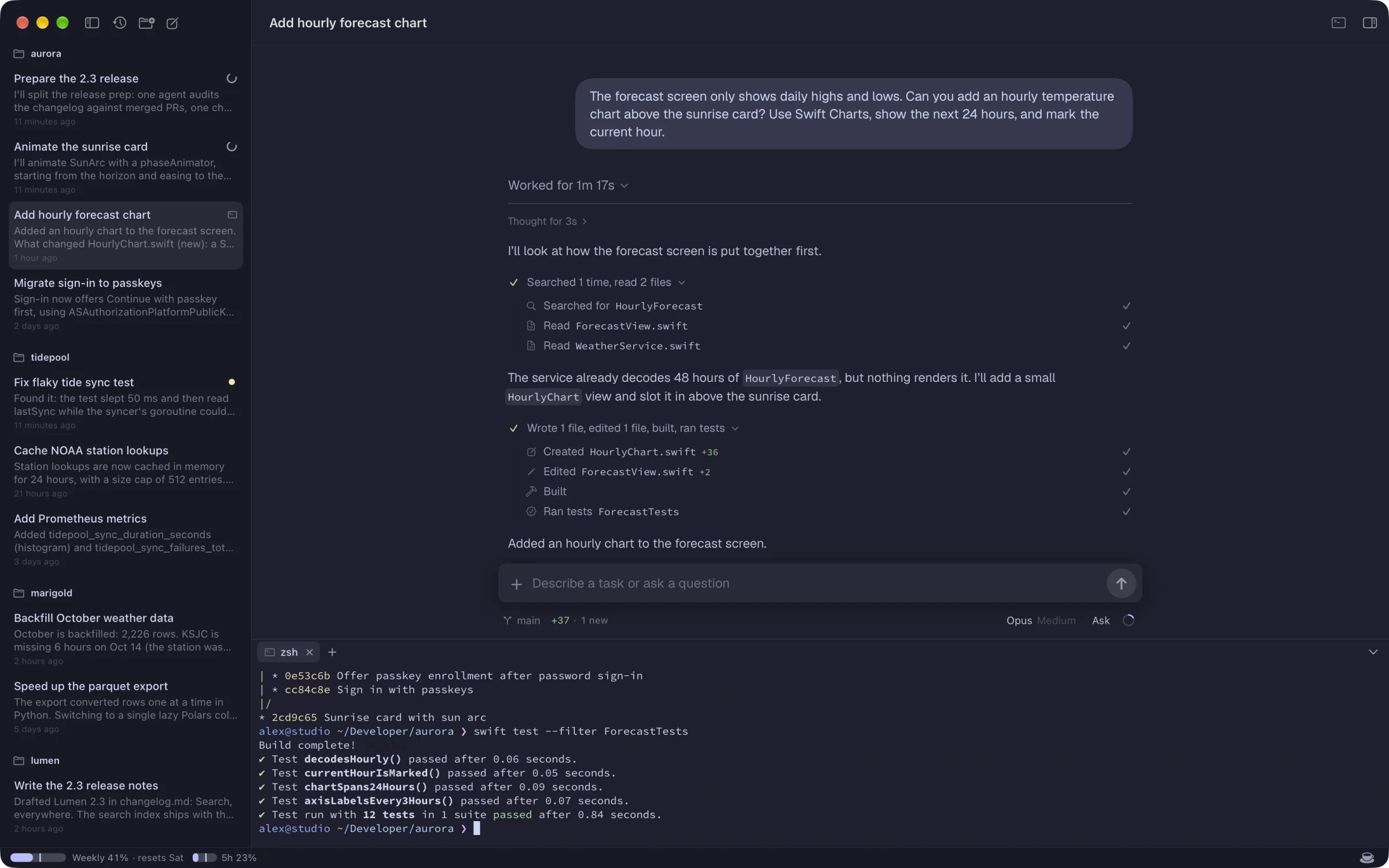
Add your laptop, the desktop under your desk and a Linux box in the closet. Moonline connects to all of them at once, with a real terminal beside every chat, and shows what's working, what's waiting on you and what finished while you were away.
- The server owns the session. Quit the app, lose Wi-Fi, reboot the server: chats keep running and keep waiting for approvals.
- Nothing lost, duplicated or reordered. Every device catches up exactly where it left off.
- Built in. The Mac and Windows apps include the server. A Linux box or a headless Mac is one command away.
Hand off the side quests.
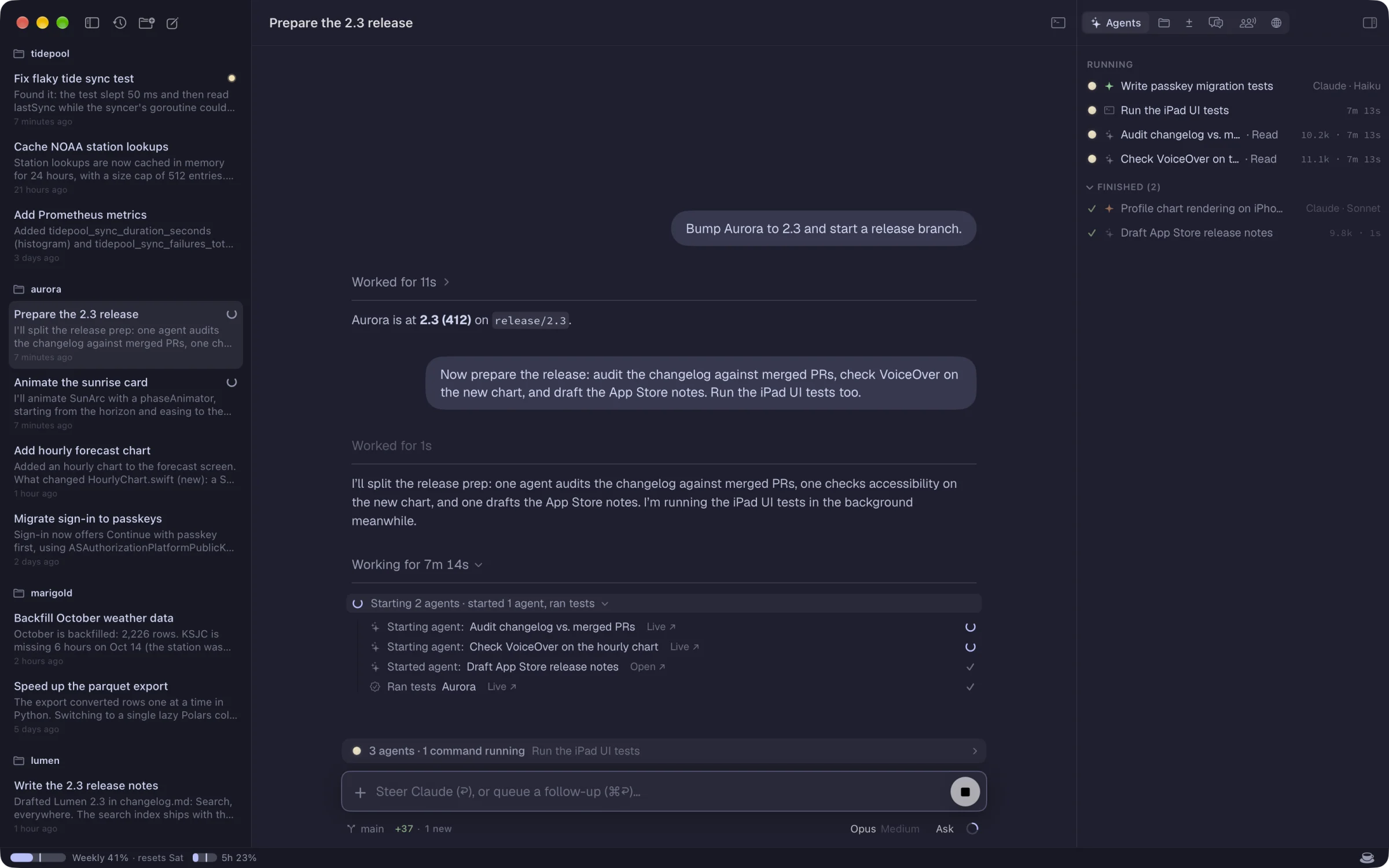
Your agent can start subagents of its own, on any agent and model the server has. They sit in the Agents panel beside Claude's own task agents and background commands, each with a live timeline you can open while it works.
- The right model for each job: Opus plans the release, Sonnet profiles, Haiku writes the tests, Codex reviews.
- Results come back on their own. A subagent's answer arrives in the chat that asked for it.
- Nothing hidden. Every agent's steps, tokens and running time, as they happen.
A second opinion. Or three.
Ask other agents about the chat you're in. They answer on their own first, so nobody anchors on the first reply, then talk it through, address each other by name and stay quiet when they have nothing to add.
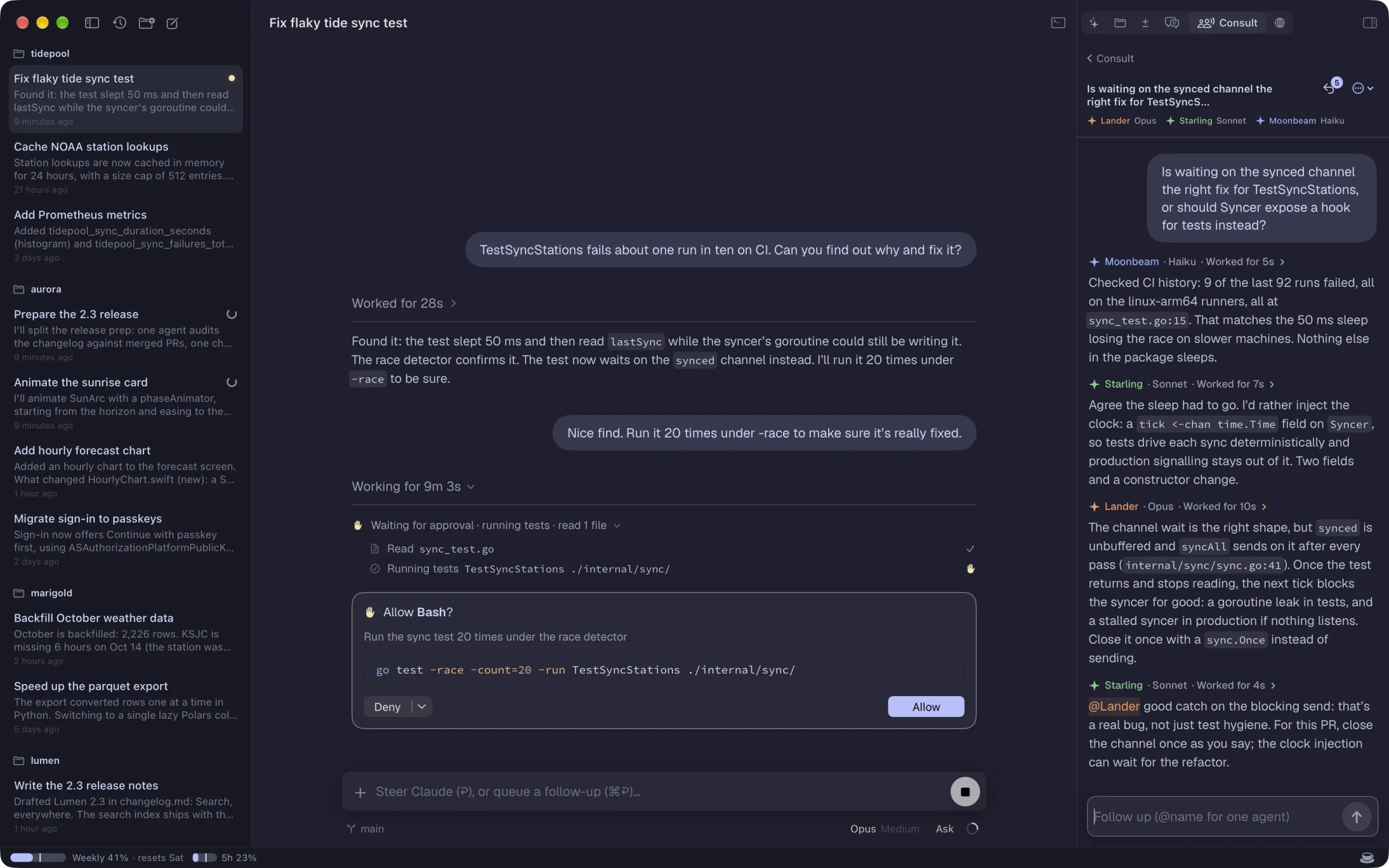
- Mix models and agents in one room: Opus, Sonnet, Haiku and Codex.
- They advise, your chat acts. The room is read-only; bring its conclusions back as one message.
- Right beside your work, with the chat's context and changes in view.
Say yes from the couch.
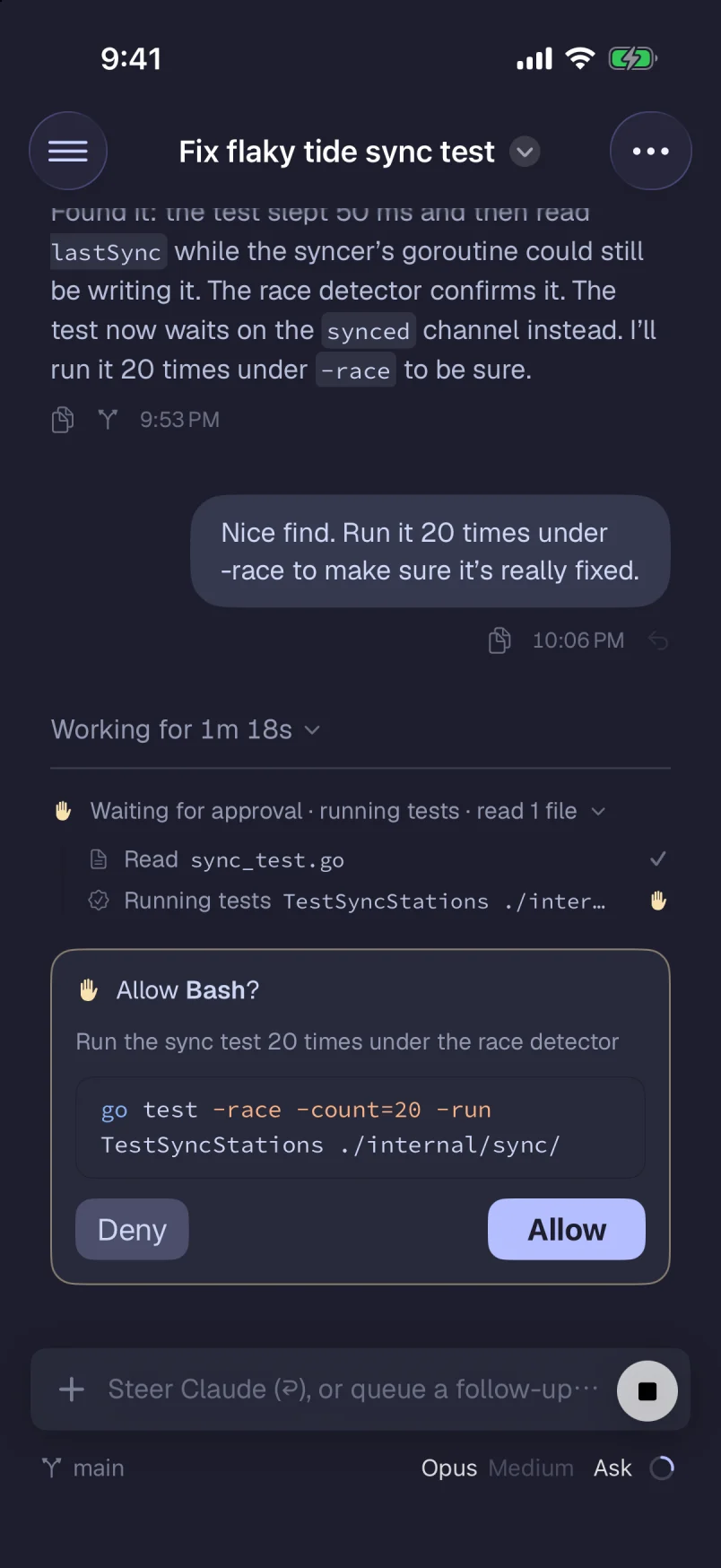
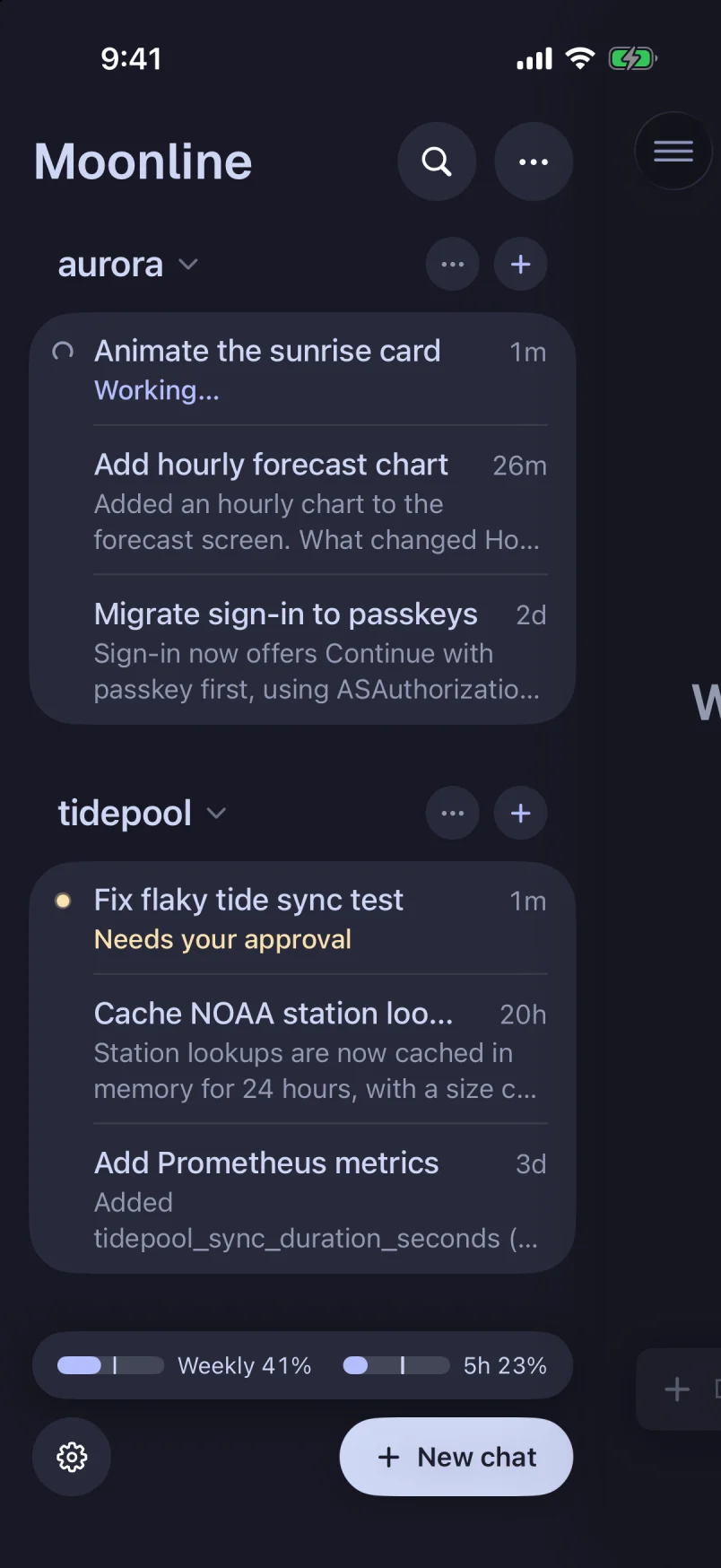
Your agents run on your computers, not your phone. When one needs you, approve the command, answer its question, steer the turn or queue the next task from your iPhone.
- Over your LAN or Tailscale, or from anywhere through the end-to-end encrypted relay, which also brings push notifications (by invite during the beta).
- A real terminal in your pocket. Shells keep running on the server and are shared across your devices.
- Plan usage at a glance, so you know how much of the week is left.
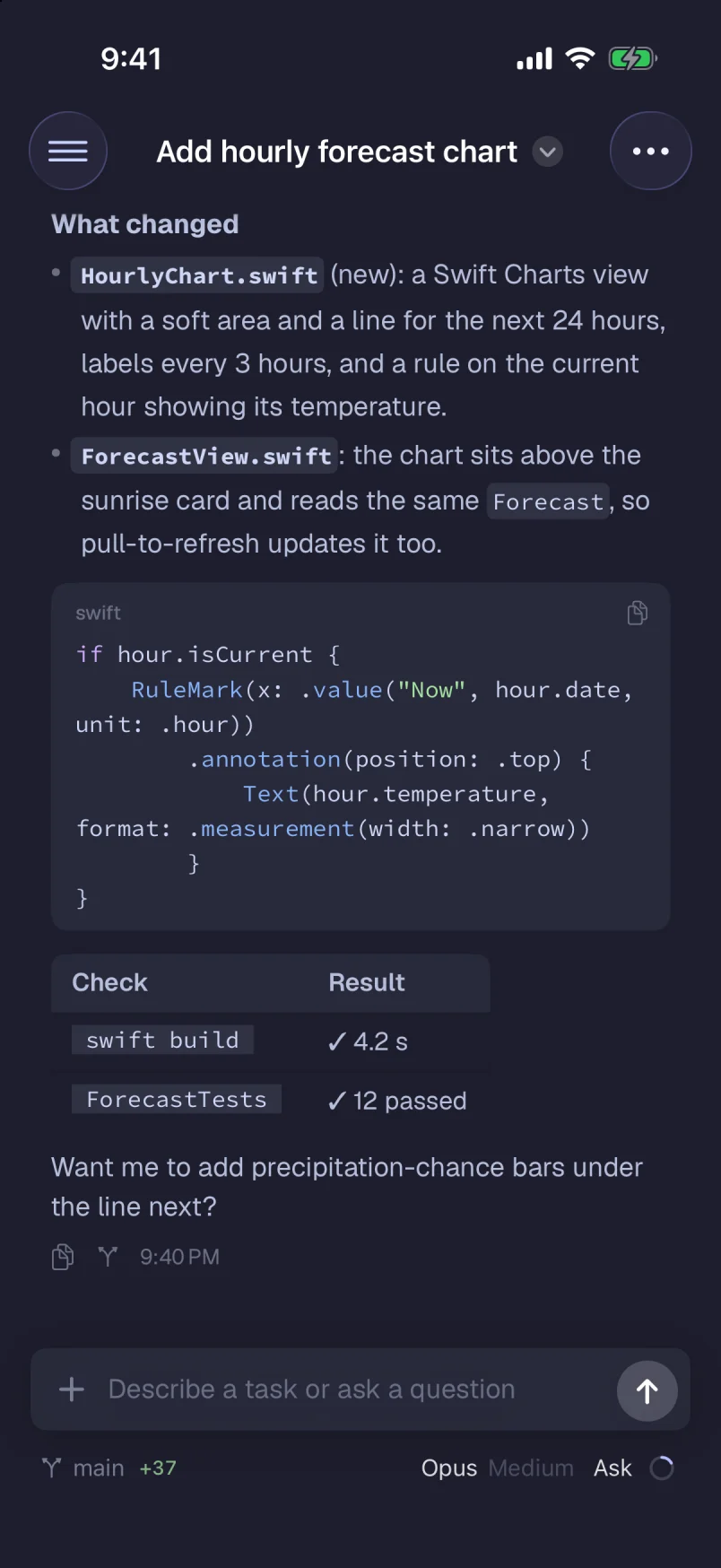
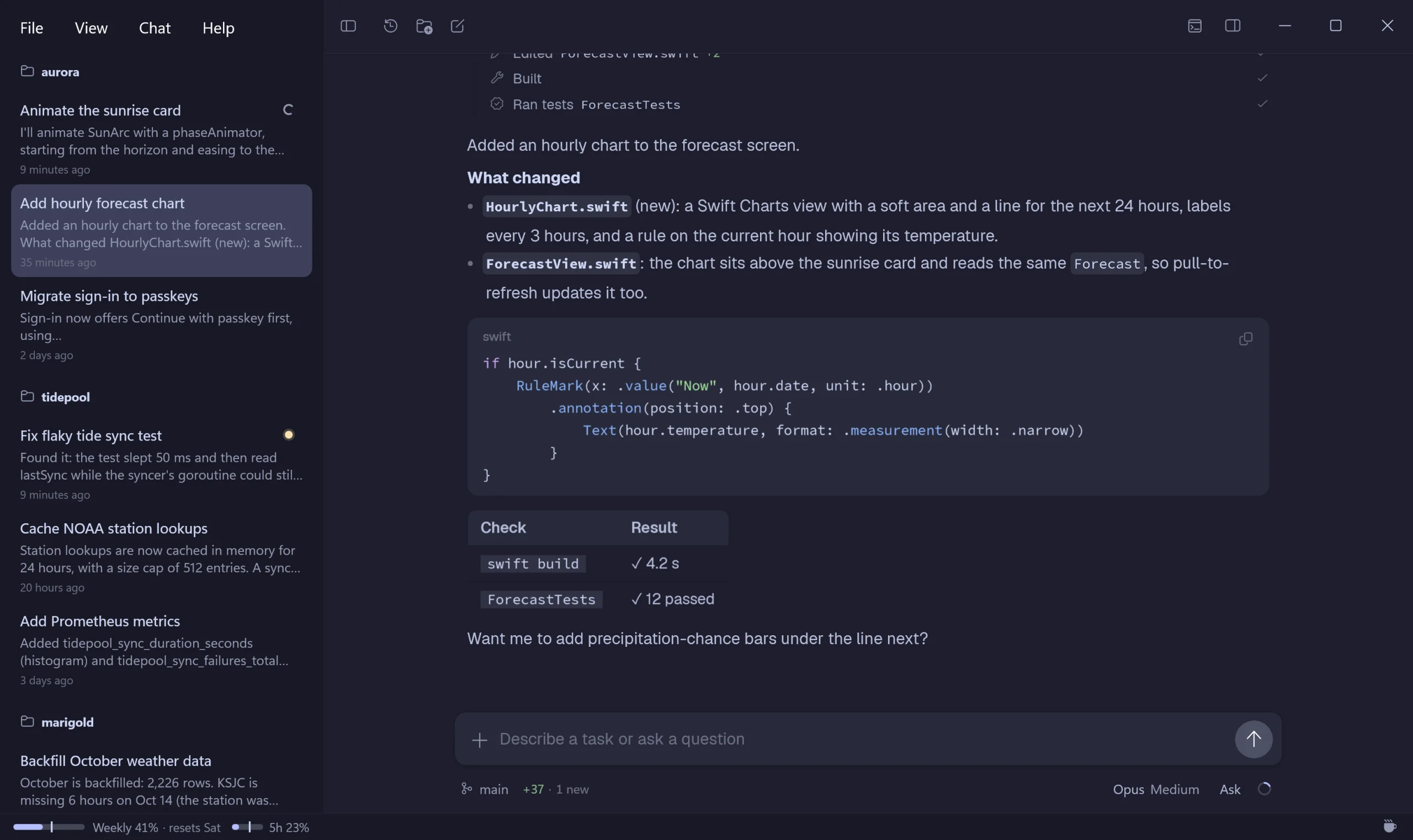
Feels like a Mac app, because it is one.
Transcripts are real text you can select and search, code is highlighted with tree-sitter in about 30 languages, and every pixel follows the platform: menus, shortcuts, text, scrolling.
- Themes you already like: Catppuccin, GitHub, One, Solarized, Tokyo Night, Gruvbox, Dracula, Nord, or any Zed theme.
- Light and dark, following the system or your choice.
- Keyboard first: ⌘P to jump to any chat, ⇧⌘F to search every server.
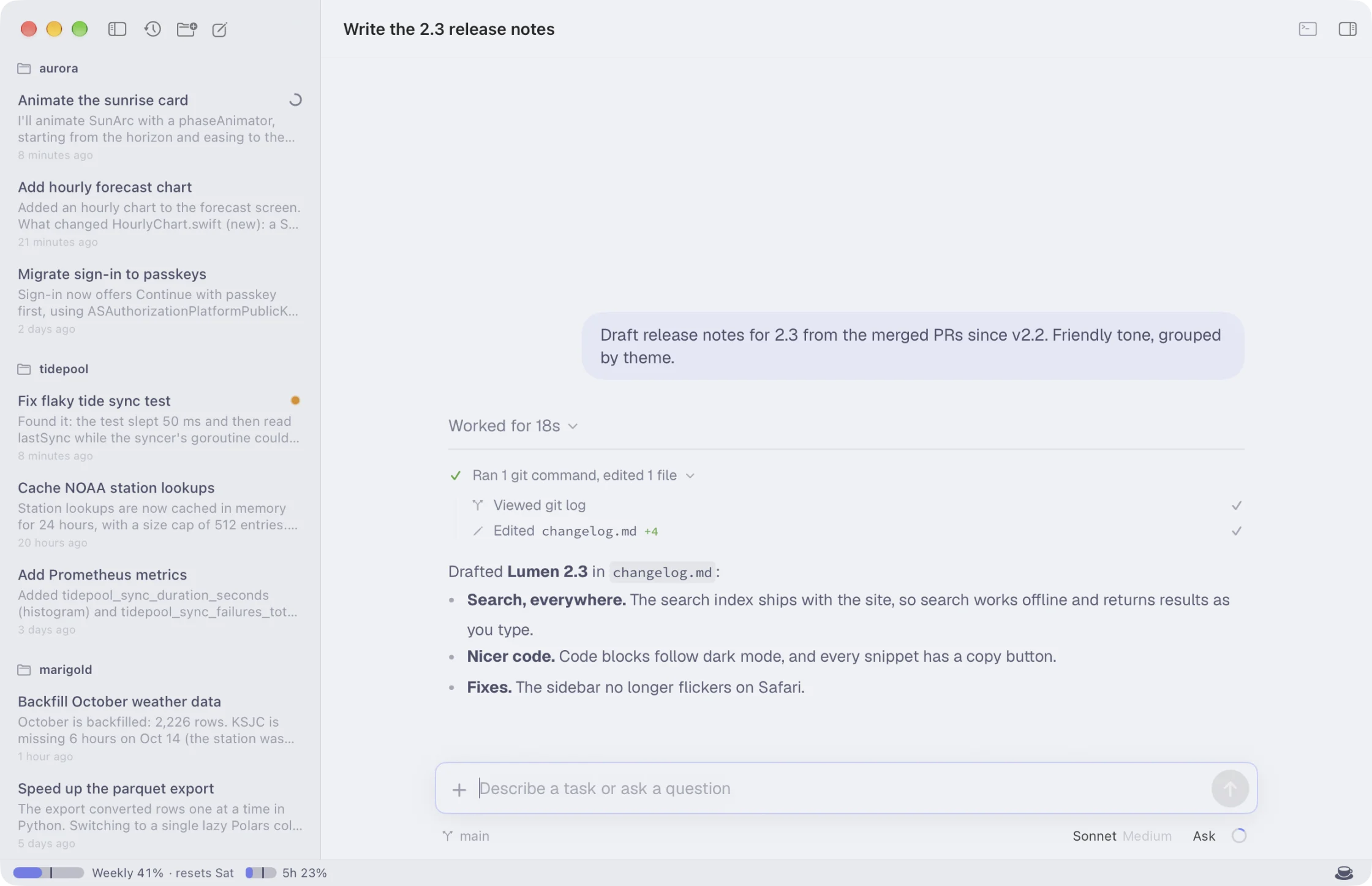
And just as at home on Windows.
A native WinUI app with Mica, the Windows menus and Ctrl where the Mac has ⌘, built from the same design and matching it feature for feature.
Built in, not bolted on.
Jump and search
⌘P jumps to any chat on any server. ⇧⌘F searches every message you and your agents ever wrote.
A remote browser
Agents drive real Chrome tabs on the server. Watch them in the Browser pane, or take over.
Side chats
Ask a quick question beside a running turn with /side, without derailing the main conversation.
Automations
Run a prompt every morning, every hour or once next Tuesday. Set them up in the app, from the command line, or just ask your agent. Runs missed while the server was off can catch up.
Remote terminals
Real shells on the server for every chat. They keep running when you close the app and follow you between devices.
Diffs, rewind and fork
See what each turn changed, rewind to an earlier message, or fork a chat to try another way.
Picks up your terminal chats
Claude Code and Codex chats you started in a terminal or the Codex app show up too. Continue them in Moonline, or back where you started.
Encrypted end to end
Every connection uses Noise with keys pinned at pairing. The relay forwards sealed frames it can't read.
Updates itself
The apps update on their own, and servers install updates while your chats are idle.
Bring your agents along.
Install the app on the computer where you code. Add more servers and devices whenever you like. You'll need Claude Code or Codex installed and signed in on each server.
Mac
macOS 15 or later · Apple Silicon
The full app with the server built in.
Windows
Windows 10 (2004) or later · x64
The same app for Windows, server included.
Server
Linux or macOS · x64 or ARM
For a headless box: installs moonline-server as a service. Then run moonline-server pair.
curl -fsSL https://updates.moonline.dev/headless | sh
iPhone and iPad
iOS and iPadOS 18 or later
Steer your servers from your pocket.
On first launch, Windows may show a SmartScreen warning: choose More info, then Run anyway. The apps and servers keep themselves up to date.